Modules
Every module on the bomb, explained from the point of view of each role. Set your role in the header to open the right tab first.
15 modules
Sort
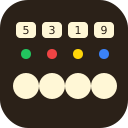
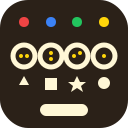
- Four buttons, each with a lamp and a display. The lamp colour says how often to press.BlindDeafMuteDraft
- Three or four coloured cables and one active light. The count and the light pick the colour to cut; the team turns it into a position.BlindDeafMuteLevel 1Draft
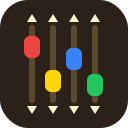
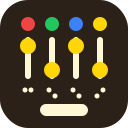
- Four coloured sliders, each to be moved up or down according to its colour. Not to be confused with the Chaos Slider.BlindDeafMuteLevel 2Draft
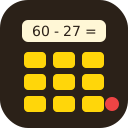
- An equation, a shuffled Braille keypad and a hidden LED. Enter the result first; then colour and parity pick one final key.BlindDeafMuteLevel 5Draft
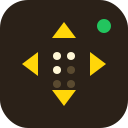
- Four arrows around a Braille number, plus one LED. Number and colour pick the arrow; the panel may ask several times.BlindDeafMuteLevel 4Draft
- Two dials with a Braille digit each and one lamp. Turn both arrows to the directions the Direction table gives, then press ENTER.BlindDeafMuteDraft
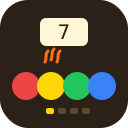
- A digit on a screen and one heated button. Together they pick which coloured button to press, four stages long.BlindDeafMuteDraft
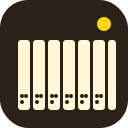
- Seven keys, a Braille octave number and one coloured light. Together they pick a four-note sequence from the manual.BlindDeafMuteLevel 9Draft
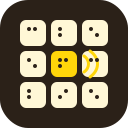
- Nine buttons, one of them sounds. Its Braille number and colour point to a pattern of positions to press.BlindDeafMuteLevel 11Draft
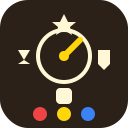
- A pointer circles four symbols, one of which hums. Four stages, each asking for one of three coloured buttons depending on the symbol.BlindDeafMuteLevel 8Draft
- Four rings, each with a symbol and a lamp. Symbol and lamp colour give the digit to set on each ring, then ENTER.BlindDeafMuteDraft
- Four digit sockets, each humming a five-signal Morse pattern. Decode every socket to a digit, then press ENTER once.BlindDeafMuteLevel 21Draft
- Four switches, each with a coloured light above and a Braille digit below, plus ENTER. The colour order picks the rule set, the digits decide up or down.BlindDeafMuteLevel 16Draft
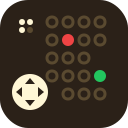
- A Braille number picks the map in the manual. Steer the red dot to the green light with the direction pad, one step at a time.BlindDeafMuteLevel 18Draft
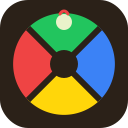
- A Simon-style pad. One button heats up each stage; the manual turns it into a press, and every stage repeats all earlier presses first.BlindDeafMuteLevel 23Draft